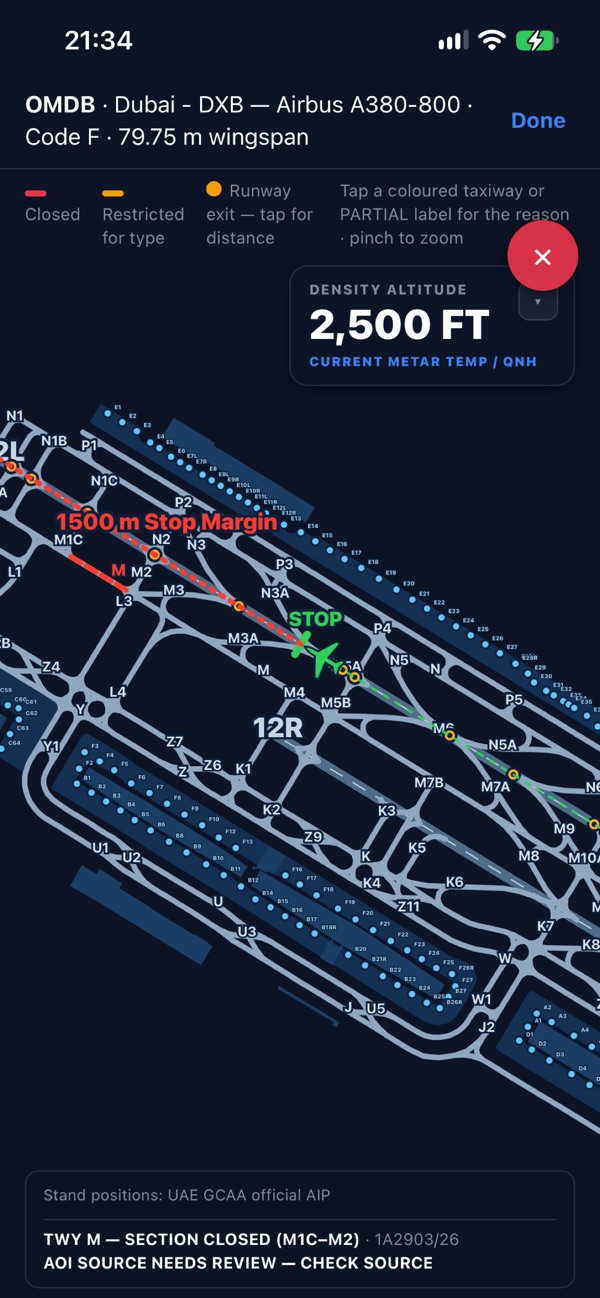
01 / AIRPORT CHARTS
Put restrictions
on the map.
See runway and taxiway restrictions in context, with aircraft details and source notices alongside the chart.
Tap a chart feature in the app to inspect its details.

BUILT FOR PROFESSIONAL PILOTS
Your flight. A clearer picture.
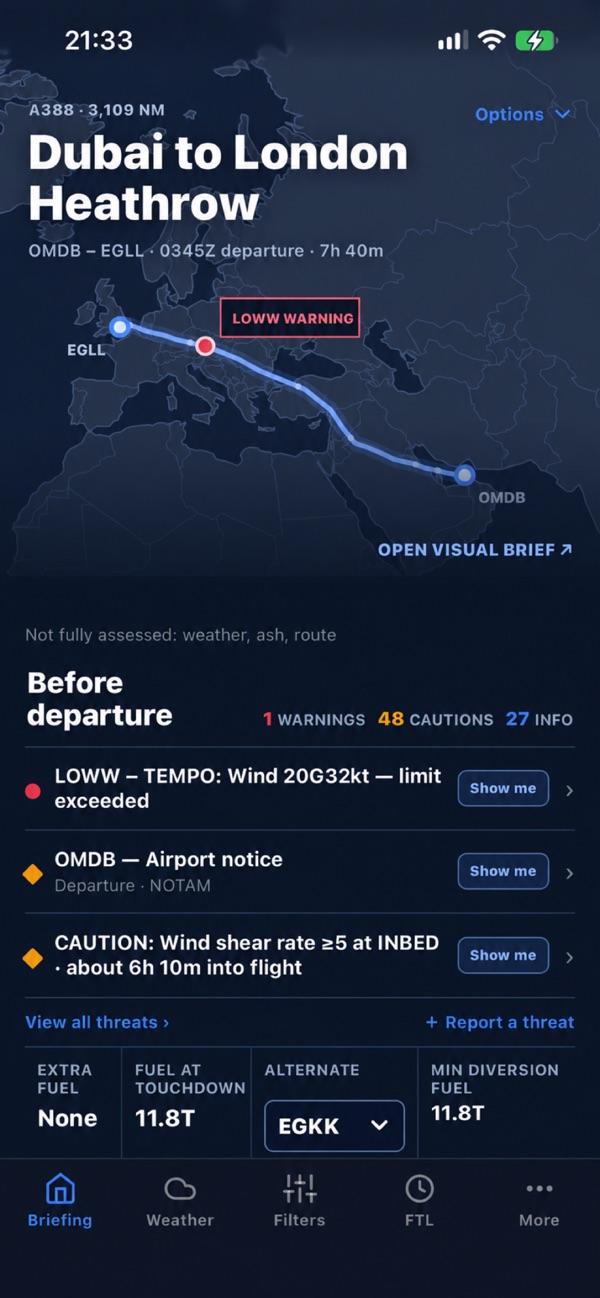
Bring your OFP, weather and NOTAMs together in a focused visual briefing.
Available on iOS · Android in development
INSIDE NOTIME
Start with your operational flight plan. Explore the route, review what needs attention and keep the source information close.
01 / AIRPORT CHARTS
See runway and taxiway restrictions in context, with aircraft details and source notices alongside the chart.
Tap a chart feature in the app to inspect its details.
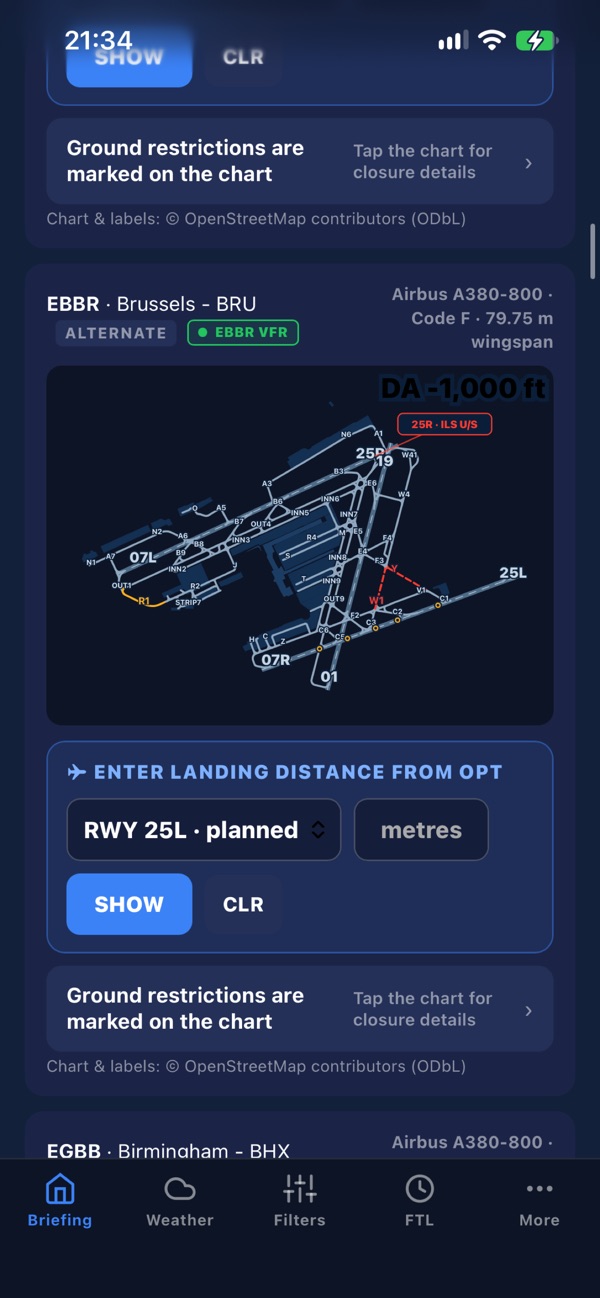
02 / GROUND RESTRICTIONS
Review airport restrictions across your briefing, including alternates. Coloured chart markings help you locate the affected area.
Read the underlying notice and verify it against approved sources.
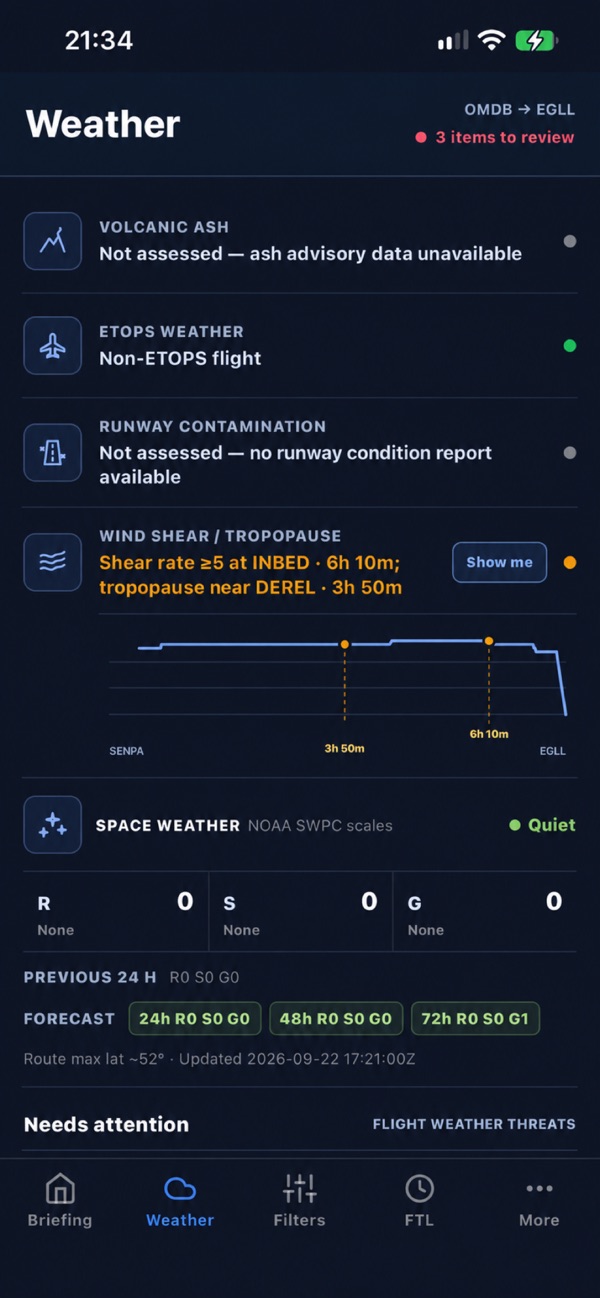
03 / WEATHER
Review weather cues along the flight, from wind shear to space weather. Coverage messages make unavailable information visible.
The screenshot shows both reported conditions and items not assessed.
04 / OPERATIONAL FILTERS
Adjust weather thresholds and choose which warning levels to display, with your departure and arrival times in view.
Filters support your review; they do not replace company limits.
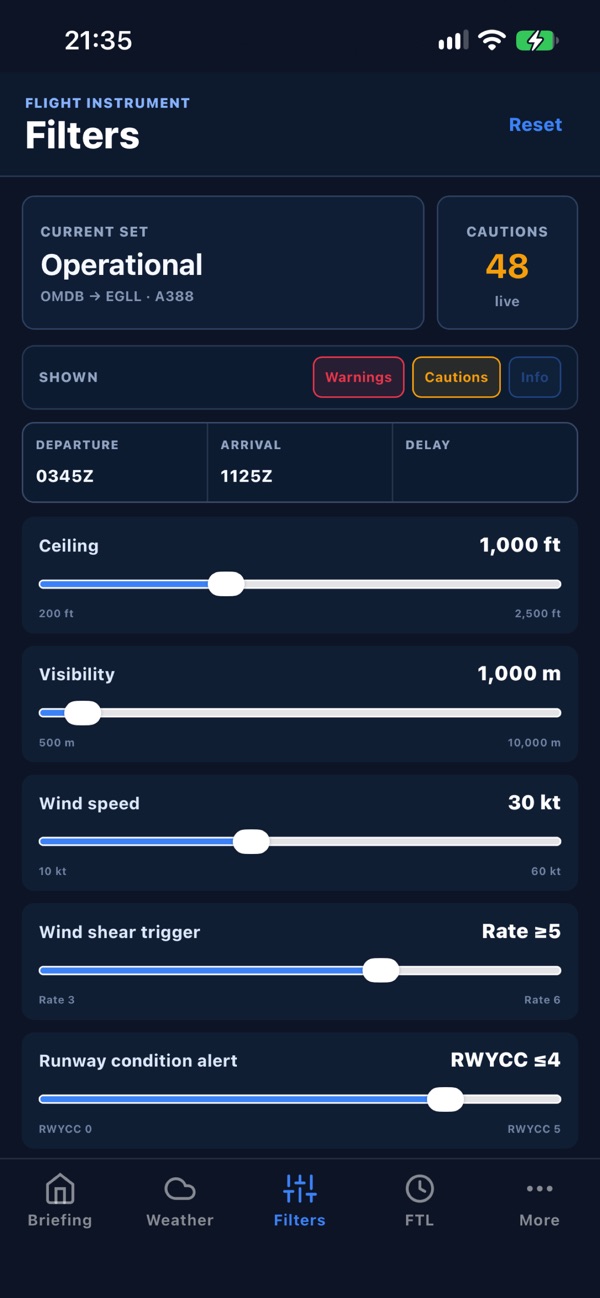
Screenshots from the NOTIME App Store listing. Example flight information, not current operational data. Select a screenshot to view it full size.
YOUR FIRST BRIEFING
LESS NOISE. MORE CONTEXT.